The Beginner’s Guide to Site Architecture and Internal Linking
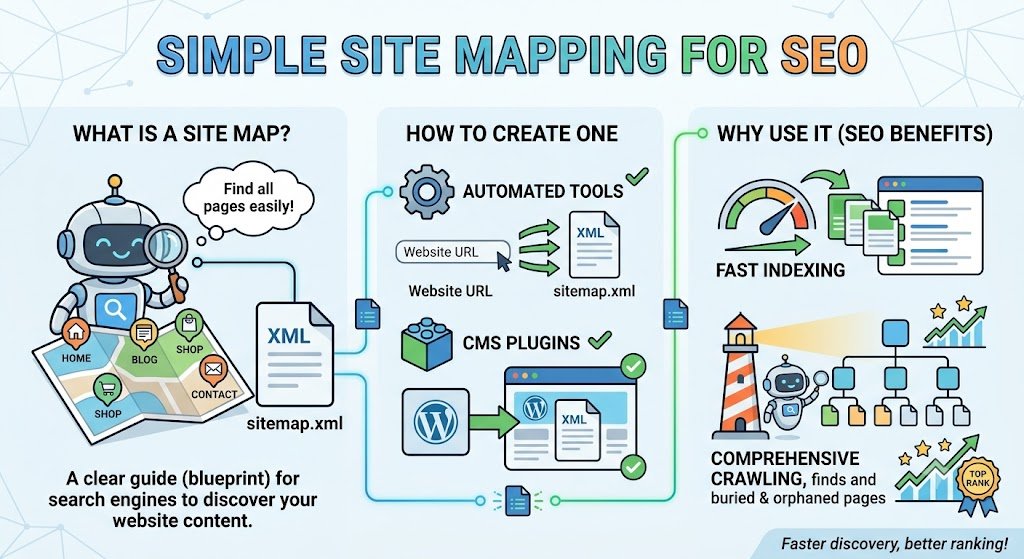
Of all the areas of SEO, site architecture is one of the most consistently overlooked — largely because it doesn’t involve writing content, chasing backlinks, or making dramatic visual changes to a website. It’s structural, often invisible to a casual visitor, and easy to postpone indefinitely. Yet how your pages are organized and connected has a direct, measurable impact on whether Google can efficiently find, understand, and confidently rank them — and it’s frequently the difference between a website that grows steadily over time and one that stalls despite good individual pages.
This guide covers what site architecture actually means, why it matters more than most business owners assume, and how to build an internal linking strategy that reinforces it.
What Site Architecture Actually Is
Site architecture refers to the overall structure and hierarchy of a website — essentially, the map of how every page relates to every other page. A well-planned architecture organizes content logically, typically flowing from broad to specific: homepage, then category-level pages, then individual content or product pages beneath each category.
A simple, effective structure typically looks like this:
Homepage
 ├── Services (category page)
 │    ├── SEO Services
 │    ├── Web Design
 │    └── Google Ads Management
 └── Blog (category / topic hub)
      ├── SEO Topic Cluster
      │    ├── What Is SEO?
      │    ├── Keyword Research Guide
      │    └── Technical SEO Checklist
      ├── Web Design Topic Cluster
      └── Marketing Topic Cluster
Notice that this isn’t just a list of pages — it’s a hierarchy with clear relationships. Every page has a logical “parent” and, ideally, several related “sibling” pages it can link to and from.
Why Site Architecture Matters for SEO
Crawl efficiency. A clear, logical structure helps Google’s crawlers discover and re-crawl your pages efficiently. Poorly structured sites — with pages buried many clicks deep, or scattered with no clear relationship to one another — waste crawl budget and can leave important pages under-indexed or stale in Google’s index.
Topical authority. Grouping related content together signals to Google that your site has genuine depth of coverage on a subject, rather than a handful of disconnected articles. This has become increasingly important as Google’s 2026 core updates have placed more weight on demonstrated topical depth as a trust signal.
User experience. Visitors who can easily find related information tend to stay longer, view more pages, and are more likely to convert — all of which indirectly reinforce the quality signals Google’s ranking systems evaluate.
Link equity distribution. Internal links pass a portion of a page’s authority to the pages it links to. A thoughtful architecture ensures your most important pages — the ones you most want to rank — receive a meaningful share of that internal authority, rather than it being spread thin or concentrated on pages that don’t need it.
What Internal Linking Actually Is
Internal linking is the practice of linking from one page on your website to another page on the same site. Unlike backlinks, which come from external websites and are largely outside your control, internal links are entirely within your control — making this one of the highest-leverage, lowest-cost SEO improvements available to any website owner.
Best practices for internal linking
Use descriptive, natural anchor text. Link using words that genuinely describe the destination page — for example, “our complete guide to keyword research” rather than a generic “click here” or “read more.” Descriptive anchor text helps both users and Google understand what to expect from the linked page.
Link from high-authority pages toward newer or priority pages. Your homepage, along with any pages that already receive strong traffic or backlinks, carry disproportionate internal authority. Strategically linking from these pages toward newer content you want to help rank can meaningfully accelerate its performance.
Avoid orphan pages entirely. Every genuinely important page on your site should be reachable through at least one internal link from elsewhere on the site. Pages with zero internal links pointing to them are significantly harder for Google to discover, crawl regularly, or consider trustworthy.
Keep click depth shallow. As a general guideline, no important page should require more than three clicks from the homepage to reach. Deeply buried pages tend to be crawled less frequently and treated as lower priority by Google’s systems.
Build genuine topic clusters, not just random cross-links. Create one comprehensive “pillar” page covering a broad topic area, then build several more specific “cluster” pages that go deeper into individual subtopics — with each cluster page linking back to the pillar, and the pillar linking out to each cluster in turn.
A Detailed Topic Cluster Example
Suppose your business offers SEO consulting services. A well-built topic cluster around SEO might look like this:
Pillar page: “The Complete Guide to SEO in 2026”
– This page provides a broad but genuinely useful overview of the entire topic, and links out to each of the following cluster pages for readers who want to go deeper on a specific area.
Cluster pages:
– “Keyword Research Explained: Tools, Intent, and Strategy”
– “Technical SEO Checklist for Small Business Websites”
– “How Backlinks Work and Why Quality Beats Quantity”
– “Local SEO for Small Business: A Step-by-Step Guide”
Each cluster page links back to the pillar page using natural, descriptive anchor text, and where relevant, cluster pages link to each other as well (for example, the keyword research page might reasonably link to the technical SEO checklist, since search intent and technical execution are closely related topics).
This structure does two things simultaneously: it makes the site far easier for visitors to navigate and explore related content, and it creates a dense, clearly interconnected signal of topical depth that reinforces the site’s overall authority on the subject in Google’s evaluation.
Common Site Architecture Mistakes
Burying important pages deep in the navigation. If a key service page or high-value article requires four or five clicks to reach from the homepage, both users and search engines are less likely to find and prioritize it.
Thin category pages with no real content of their own. Category or hub pages that are nothing more than a bare list of links miss an opportunity to rank for broader, valuable search terms and to properly introduce the topic cluster beneath them.
Duplicate or near-duplicate pages competing for the same keyword. This is sometimes called keyword cannibalization — when two or more pages on the same site target essentially the same search intent, they can split ranking signals and confuse Google about which page to prioritize.
No clear internal linking strategy. Links added randomly, without a deliberate plan connecting pillar content to cluster content, waste much of the potential benefit internal linking offers.
Ignoring the architecture as the site grows. A structure that made sense with twenty pages can become chaotic and inefficient at two hundred pages if it isn’t periodically reviewed and reorganized.
A Practical Process for Auditing Your Current Architecture
- Map your existing pages. Use a crawling tool (many free options exist, alongside Google Search Console’s coverage reports) to see every indexed page and how it’s currently linked.
- Identify orphan pages. Look for any important pages with no internal links pointing to them, and add relevant links from related content.
- Check click depth. Confirm your most important pages are reachable within two to three clicks from the homepage.
- Group content into logical clusters. If you have several related articles with no clear pillar page tying them together, consider creating one, and update each related article to link back to it.
- Resolve keyword overlap. Where multiple pages compete for the same search intent, consolidate them into a single stronger page, or clearly differentiate their focus and adjust internal links accordingly.
Frequently Asked Questions
How many internal links should a single page have?
There’s no fixed rule, but the guiding principle is relevance and usefulness to the reader — link wherever it genuinely helps someone find related, useful information, and avoid stuffing in links purely for SEO purposes.
Does internal linking work for very small websites too?
Yes. Even a site with only ten or fifteen pages benefits from a clear, logical structure and deliberate internal linking between related content — the earlier this habit is built, the easier it is to maintain as the site grows.
How long does it take to see results from improving site architecture?
Because this primarily affects crawl efficiency and topical authority signals rather than triggering an immediate ranking change, results tend to build gradually over subsequent weeks and months rather than appearing instantly.
Final Thoughts
Site architecture and internal linking rarely produce dramatic, overnight results on their own, but they compound steadily over time — a well-structured site makes every other SEO investment work harder, because it gives Google a clear, efficient path to discover, understand, and trust the relationships between your pages. For a small business building out its content over months and years, getting this foundation right early is one of the highest-leverage, lowest-cost decisions available.
Clean URLs are part of clean architecture — our free Slug & URL Generator turns any title into a short, safe permalink.