How Does a QR Code Store Information?
A QR code stores data as a grid of dark and light squares, with built-in markers and error correction. Here is how the pattern encodes text and survives damage.
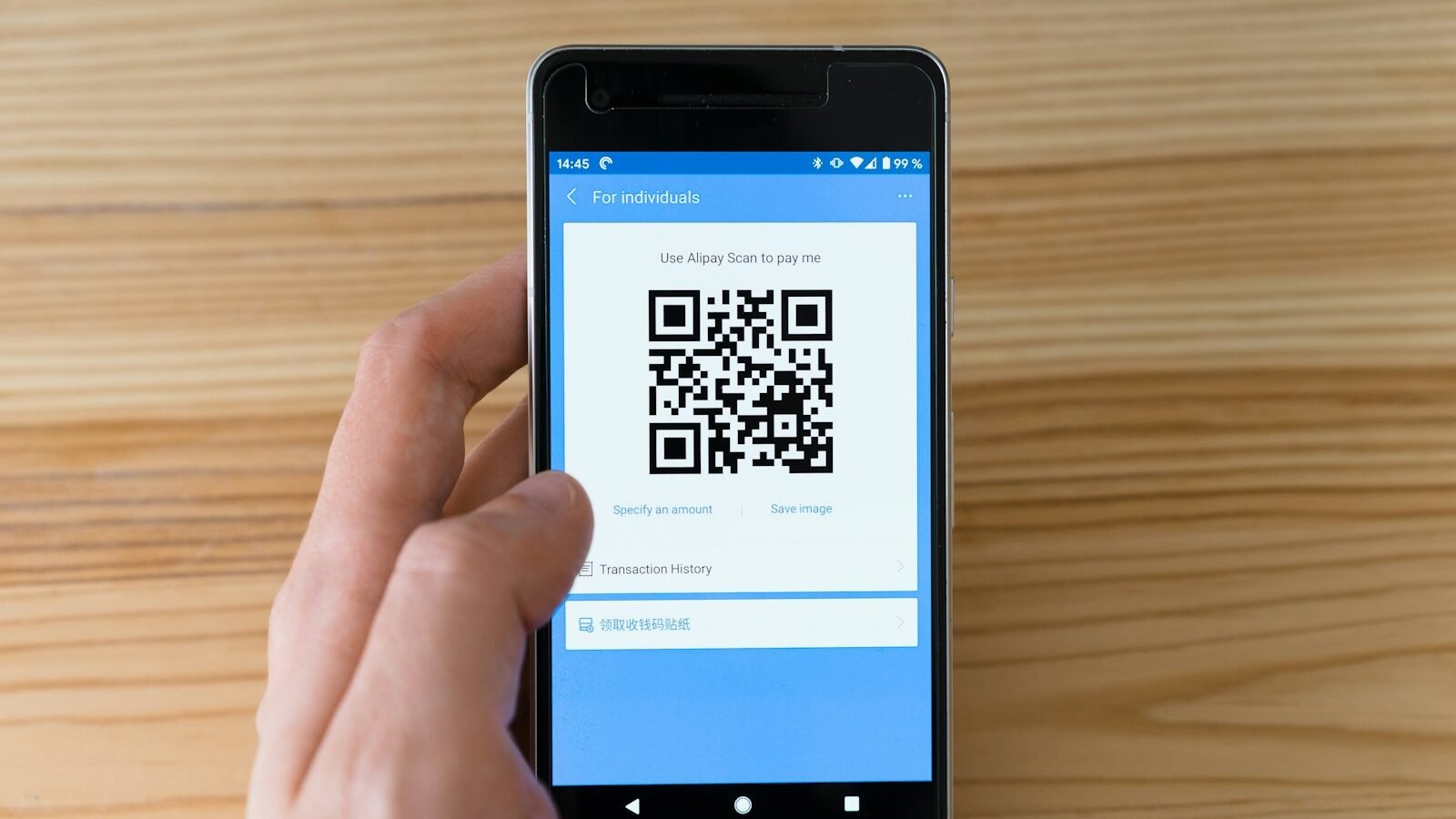
QR codes appear on restaurant tables, parcels, train tickets and product packaging. Point a phone camera at one and, a moment later, a web address or a block of text appears. Yet the code itself is just a square of black and white blocks with no obvious structure. So where, exactly, is the information, and how does a phone read it so reliably, even when the code is scuffed, curved or photographed at an angle?
The answer is that a QR code is a carefully organised piece of graphic engineering. Some of its squares carry your data, some carry spare data for repairing damage, and a surprising number exist only to help the camera find, straighten and decode the pattern. Understanding that layout explains why QR codes work so well, and also where their limits lie.
The short answer
- A QR code stores data as binary: each small square, called a module, is read as a dark or light bit, and groups of eight bits form codewords.
- Fixed marker patterns in three corners, plus timing and alignment patterns, let a scanner locate the code and work out its grid from any angle.
- Reed–Solomon error correction adds extra codewords so that, depending on the level chosen, roughly 7% to 30% of the codewords can be restored if the code is dirty or damaged.
- Before printing, the data area is overlaid with one of eight mask patterns to avoid confusing shapes and keep the code easy to scan.
The basic principle: a grid of bits with a built-in map
A traditional barcode stores information in one direction only: the widths of the bars from left to right. A QR code stores information in two directions, across a square grid. Each cell of that grid is a module, and each module is either dark or light, which a reader treats as a 1 or a 0. Because the grid is two-dimensional, the same printed area can hold far more data. According to DENSO WAVE, the company that developed the QR code, the work began because users wanted more than the roughly 20 alphanumeric characters that a conventional barcode could hold.
Raw bits alone would be useless, though, unless the reader knows where the grid starts, how large it is and which way up it is. So a QR code reserves part of its area for function patterns: fixed shapes that carry no message but act as a map. The remaining modules hold the encoded message and its error-correction data.
How it works, step by step
- The text is converted to bits. The encoder chooses a mode suited to the content: numeric, alphanumeric, byte (for general text such as web addresses) or kanji. More compact modes squeeze more characters into fewer bits.
- Header information is added. A mode indicator and a character count go in front of the message so the reader knows how to interpret what follows.
- The bit stream is split into codewords. A codeword is a unit of 8 bits. The encoder then calculates extra Reed–Solomon codewords for error correction.
- The codewords are placed in the grid. Data bits are laid out in a zigzag path that works across the grid from right to left, flowing around the function patterns.
- A mask is applied. The encoder tries each of eight mask patterns, scores the results for features that could confuse a scanner and keeps the best one.
- Format information is written. A short 15-bit block recording the error-correction level and the mask used is stored in more than one place, so the reader can still recover it if one copy is damaged.
- The reader reverses the process. A camera finds the three corner markers, corrects for angle and distortion, samples each module, removes the mask, repairs errors and converts the bits back into text.
The science behind it
Finder patterns: why the corners look the way they do
The three large squares in the corners are called position detection patterns, or finder patterns. Each is a dark square inside a light ring inside a dark ring. Scanned in a straight line through its centre, at any angle, it produces a sequence of dark and light widths in the ratio 1 : 1 : 3 : 1 : 1. DENSO WAVE explains that its developers surveyed printed material such as business forms and chose this ratio because it was the one least likely to appear by chance elsewhere on a page. That makes the markers easy to pick out from the background, and having three of them at fixed corners tells the reader the orientation of the code. DENSO WAVE states that this allowed the code to be read more than ten times faster than other codes of the time.
The code also needs a quiet zone: a clear margin around it, specified as four modules wide, so the finder patterns are not confused with surrounding print.
Timing and alignment patterns: keeping the grid straight
Between the finder patterns run two lines of alternating dark and light modules, the timing patterns. These act like the markings on a ruler, letting the reader work out the module size and where each row and column lies. Larger codes also contain smaller square alignment patterns. Their number increases with the size of the symbol, and they help the reader correct for perspective, curvature and other distortion, such as a code printed on a bottle or photographed at a slant.
Versions and size
QR codes come in 40 sizes, called versions. Version 1 is 21 × 21 modules, and each version adds four modules to each side, up to 177 × 177 for version 40. The side length in modules follows a simple rule:
N = 17 + 4V, where N is modules per side and V is the version number.
From version 7 upwards, an additional 18-bit version information block is included so the reader can confirm the size. The encoder picks the smallest version that fits the data at the chosen error-correction level. DENSO WAVE gives the example that 100 numeric digits at level M need version 3, which is 29 × 29 modules.
| Content type (version 40, level L) | Maximum characters |
|---|---|
| Numeric digits only | 7,089 |
| Alphanumeric (upper-case letters, digits, a few symbols) | 4,296 |
| Byte (general text) | 2,953 |
| Kanji | 1,817 |
These are upper limits for the very largest code at the lowest level of error correction. Everyday codes carrying a short web address are far smaller.
Error correction: how a damaged code still scans
QR codes use Reed–Solomon coding, a mathematical technique originally developed to cope with noise in communications from satellites and planetary probes and also used on music CDs. It adds redundant codewords computed from the data. If some codewords are later misread, the reader can use the redundant ones to work out what the original values must have been. Reed–Solomon coding works at the level of whole bytes, which suits QR codes well, because real damage, such as a smear or a torn corner, tends to destroy clusters of neighbouring modules rather than scattered single bits.
| Error-correction level | Approximate share of codewords that can be restored |
|---|---|
| L | about 7% |
| M | about 15% |
| Q | about 25% |
| H | about 30% |
That protection is not free. DENSO WAVE notes that Reed–Solomon coding needs twice as many error-correction codewords as the number of codewords it can repair. As an approximate illustration: if a symbol must be able to restore 25 damaged codewords, it needs about 50 error-correction codewords, and that space is no longer available for the message. A higher level therefore means a larger code for the same content. DENSO WAVE describes level M as the most commonly chosen, level L as suited to clean environments, and levels Q or H as suited to places such as factories where codes get dirty.
Masking: avoiding confusing patterns
Some messages would, by coincidence, produce large blank areas or shapes that resemble a finder pattern, which could mislead a scanner. To prevent this, the encoder combines the data area with a mask, a regular pattern such as a checkerboard or stripes, flipping modules wherever the mask is dark. There are eight standard masks. The encoder scores each result with penalty rules for long runs of the same colour, solid 2 × 2 blocks, finder-like sequences and an imbalance between dark and light modules, and then keeps the lowest-scoring version. Only the data and error-correction modules are masked; the function patterns are left untouched. The number of the mask used is stored in the format information, so the reader can undo it.
Real-world applications
The QR code was developed by DENSO WAVE, then part of the DENSO group, and introduced in 1994. Fast reading and tolerance of dirt were central to the design, and DENSO WAVE still describes the higher error-correction levels as suited to factory environments. The same properties suit many other settings: tickets and boarding passes, links on posters and packaging, payment requests, Wi-Fi login details and inventory labels. Whatever the use, the code simply carries a string of characters; it is the software on the reading device that decides what to do with it, such as opening a link. In that respect it is one of many quiet pieces of engineering around us, much like the sensors explained in our article on how automatic doors know when to open.
Common misconceptions
“The QR code itself contains the website”
A QR code that opens a web page usually contains only the address, not the page. The content lives on a server. Some services issue so-called dynamic codes that hold a short address pointing to a redirect, which is why the destination can change while the printed code stays the same. If the redirect service stops working, the code still scans but leads nowhere.
“A logo in the middle means the code is broken”
Many branded codes cover part of the pattern with a logo and still scan. This works because the error correction can rebuild the hidden codewords, provided the covered area stays within the level’s limits and the finder, timing and format areas are left clear. The trade-off is that the logo uses up the code’s tolerance for further damage.
“Higher error correction is always better”
More error correction makes a code more robust, but it also makes it larger or denser for the same data. For a clean, indoor setting, a lower level can give a smaller code with bigger modules that is easier to scan from a distance.
Limitations and exceptions
- Damage beyond the limit. Error correction has a ceiling. If the finder patterns are destroyed, or damage exceeds what the chosen level can restore, the code cannot be read.
- Contrast and margins. Poor contrast, glossy reflections or a missing quiet zone can stop a scanner locating the code even when the data is intact.
- Size and distance. Packing more data into the same printed area makes each module smaller, which demands a sharper camera or a closer scan.
- Modest capacity. Even the largest code holds only a few thousand characters, so QR codes are best for links and short records rather than documents.
- No built-in trust. A person cannot tell where a code leads just by looking at it. It is sensible to check the address shown in your phone’s preview before opening a link, particularly for codes that ask for payment or login details.
Frequently asked questions
Who invented the QR code?
It was developed by DENSO WAVE in Japan, in a project led by Masahiro Hara, and introduced in 1994.
Do QR codes expire?
The printed pattern does not expire, because it is just encoded data. What can stop working is the thing it points to, such as a deleted web page or a discontinued redirect service.
How much information can a QR code hold?
The largest version, 177 × 177 modules, can hold up to 7,089 digits or 2,953 bytes of general text at the lowest error-correction level. Most codes in daily use are much smaller.
Why does a scratched QR code still work?
Reed–Solomon error correction stores extra codewords that let the reader reconstruct missing or misread parts, up to roughly 7%, 15%, 25% or 30% of the codewords depending on the level chosen.
References
- DENSO WAVE. Error correction feature. QRcode.com.
- DENSO WAVE. Information capacity and versions of QR Code. QRcode.com.
- DENSO WAVE. History of QR Code. QRcode.com.
- Christian Grothoff, Bern University of Applied Sciences. QR Codes (lecture slides, 2019).
- Thonky.com. QR Code Tutorial: Data Masking.
- QRazyBox. About QR Code (help documentation).
Header photo: Markus Winkler on Unsplash.